Exceptions let you bypass your usual status rules for specific numbers. This is perfect for creating a VIP list (that rings even if you're on "Do not disturb") or for blocking unwanted numbers.
To create an exception, you need to:
Be logged in to your Un1ty 3CX Web Client.
Know the exact phone number (or prefix) for which you want to apply a special rule.
In the left column, click on Settings (Gear icon ⚙ or Wrench 🔧).
Click on the Call forwarding section.
At the top of the page, click on the Exceptions tab (located next to "Statuses" and "Schedule").
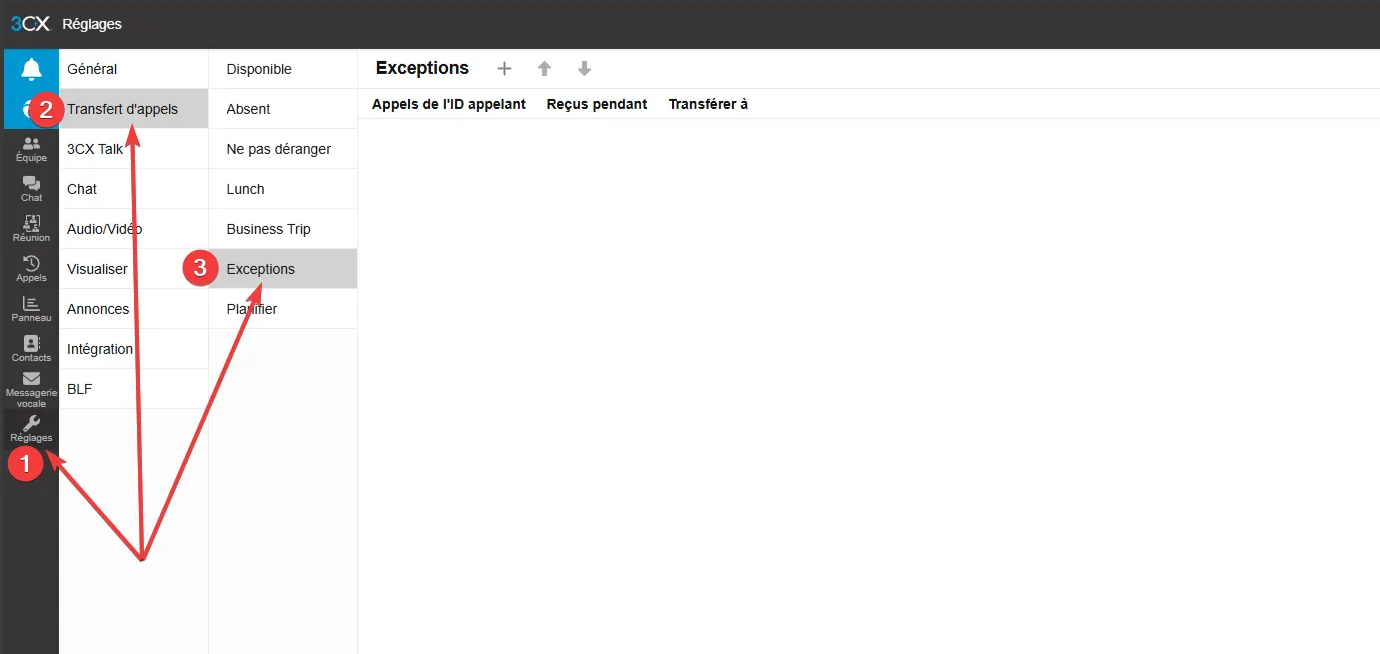
Click the "+" button or "Add a rule". A configuration window opens.
Fill in the following fields:
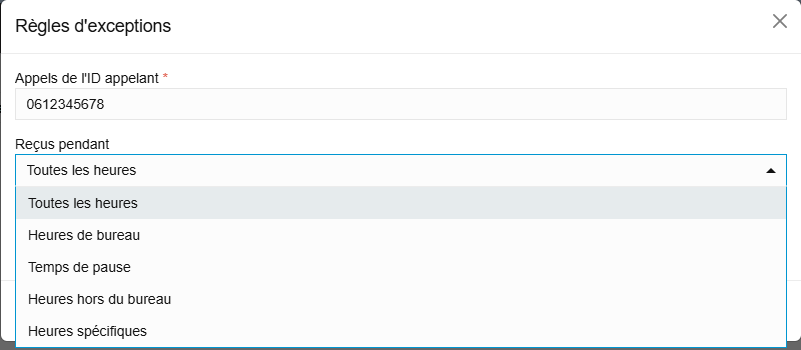
Caller identification (Caller ID): Enter the phone number in question.
Tip: You can enter the exact number (e.g. 0612345678) or use a wildcard (see notes).
Received during: Choose when this rule applies.
All hours (All the time).
Office hours (Only when you're working).
Outside office hours.
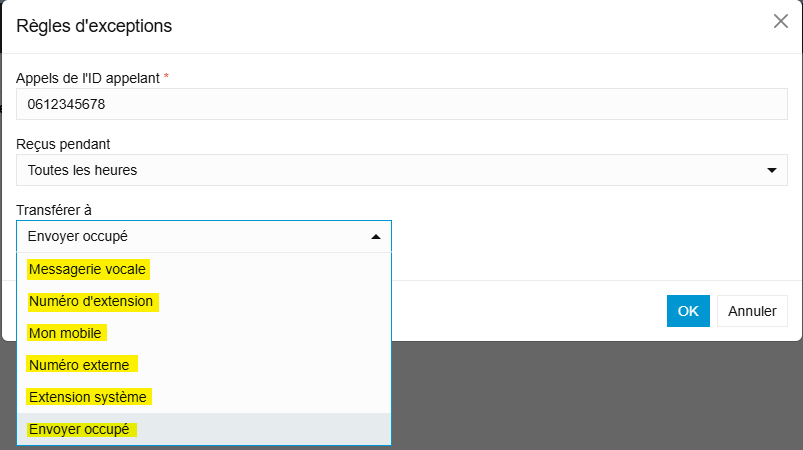
Choose what the system should do when this number calls:
Transfer to: Select the destination (Voicemail, another extension, an external/mobile number).
VIP example: Transfer to "My Mobile" so you never miss this call.
Spam example: Transfer to "End call" (hangs up immediately).
Optional: You can sometimes force a specific status change for this call.
Click OK or Save to activate the rule.
The Joker's tip (*) : You can use the asterisk to filter a group of numbers.
Example: 01* will apply the rule to all numbers starting with 01.
Example: 99 will apply the rule to all numbers ending with 99.
Priority: Exceptions have priority over your usual statuses. Even if you're on "Do not disturb", if an exception says to ring your mobile for the CEO's number, the mobile will ring.
Block list: To block a stalker or a cold caller, create an exception with their number and choose the "End call" action.
Go to Settings > Call forwarding > Exceptions.
Click on Add (+).
Enter the caller's Number.
Choose the Action (e.g. Forward to Mobile or Reject).