The Un1ty app lets you easily view and download all your invoices. Here’s how to access your billing history and manage your documents.
Once the Un1ty app is open:
Click on the “ Conso ” tab
Select “ Invoices ”
You’ll see the screen showing all your invoices with:
The full history of all your invoices
The status of each invoice (paid, pending, etc.)
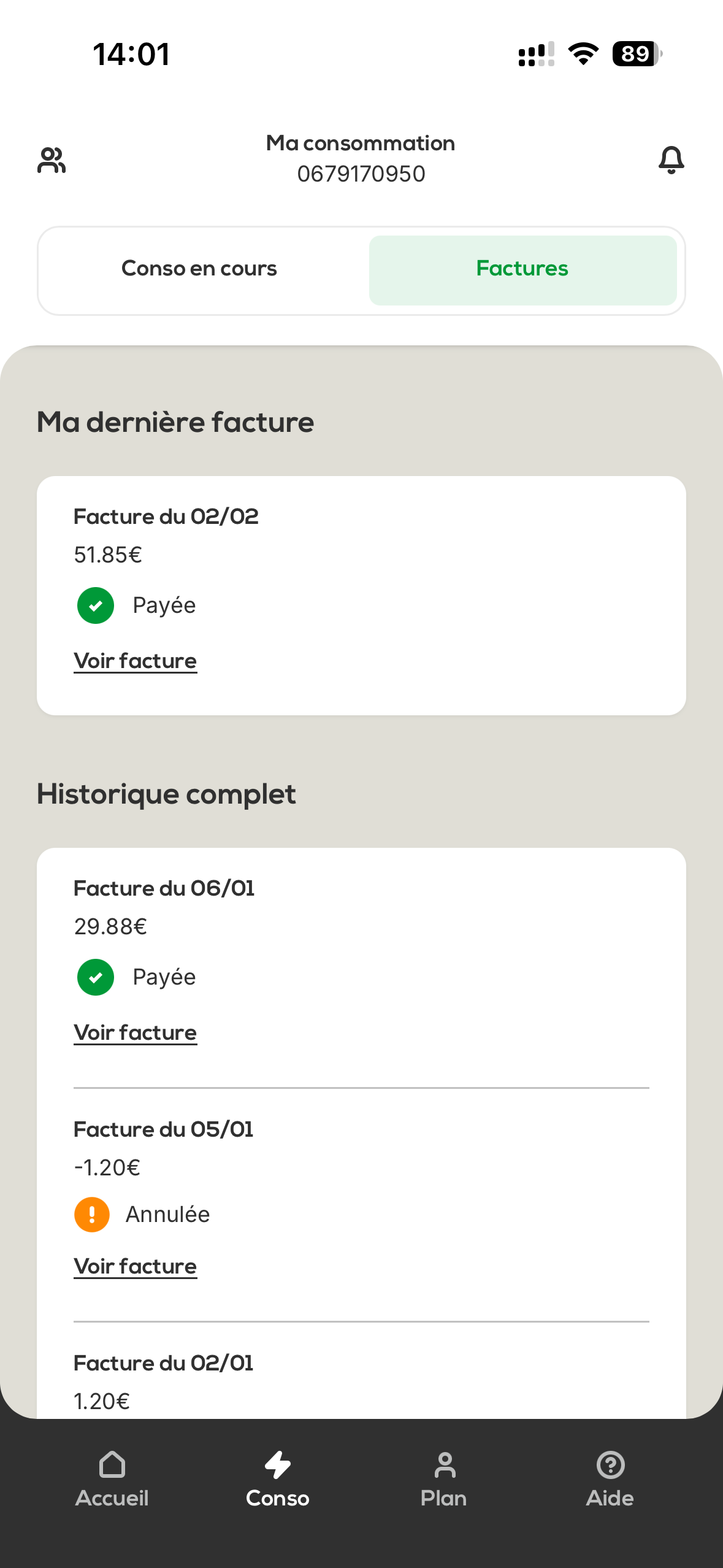
To see the details of an invoice:
Click on « View invoice » next to the invoice you want
The PDF with the full invoice details opens automatically
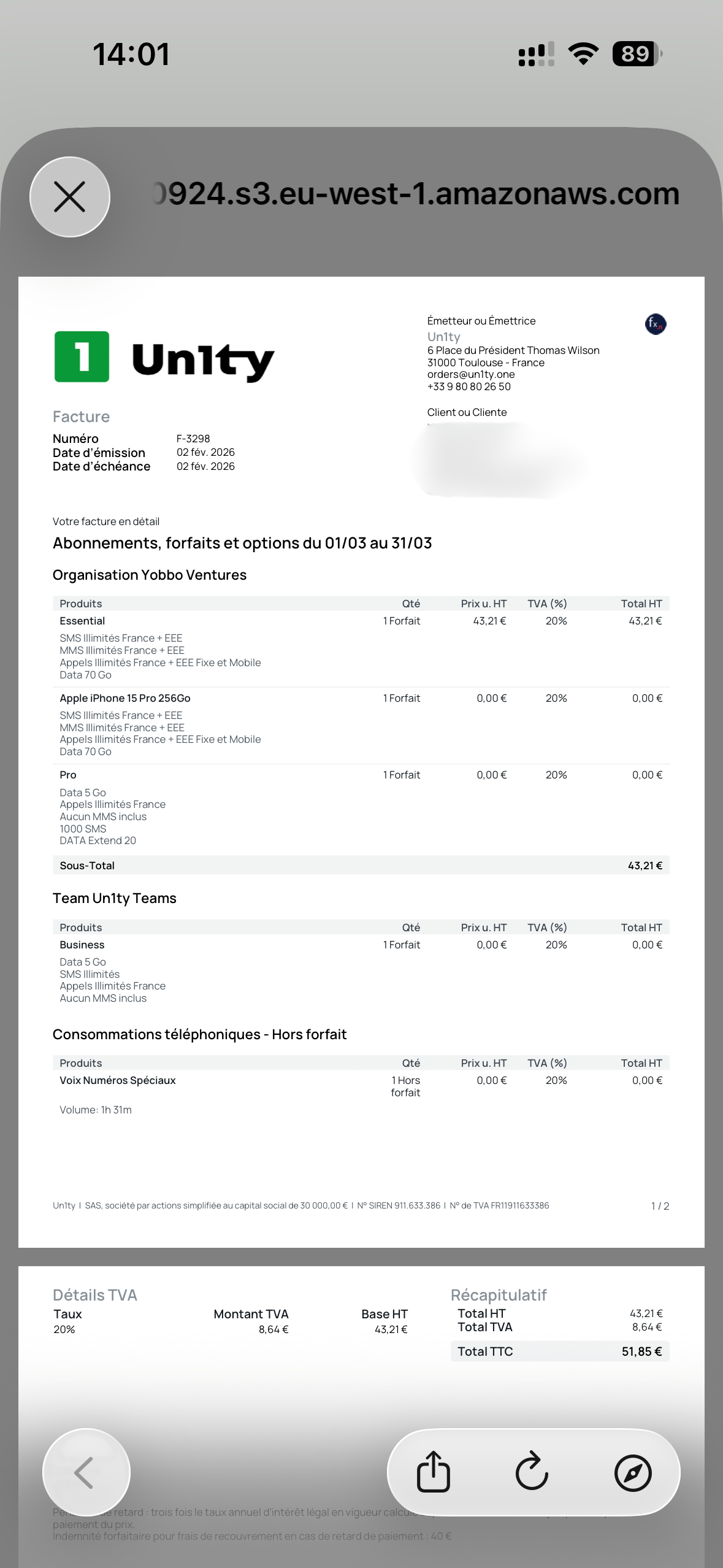
Once the PDF is open, you can:
Download the invoice to your device to keep it
Send the invoice by email directly from the app
Easy access : All your invoices accessible in two clicks (Conso > Factures)
Full history : Find all your past invoices
Visible status : Track the status of each invoice in real time
PDF format : Documents that are easy to download and share
Self-service management : Check and download your invoices anytime
If you can't find a specific invoice or if you're having trouble accessing it, feel free to contact our customer support.
Manage your Un1ty invoices with total ease!