Managing lines in Un1ty lets you track the usage of each line, view the related plans, and manage security settings like the PUK code. Here's how to access all these features.
To manage your organization's lines, you need access to the Un1ty app with the right permissions.
Open the Un1ty app
Click on the “ Plan ” menu
Select the “ Admin ” tab
Go to “ Lines ”
You now see all the lines assigned to your organization.
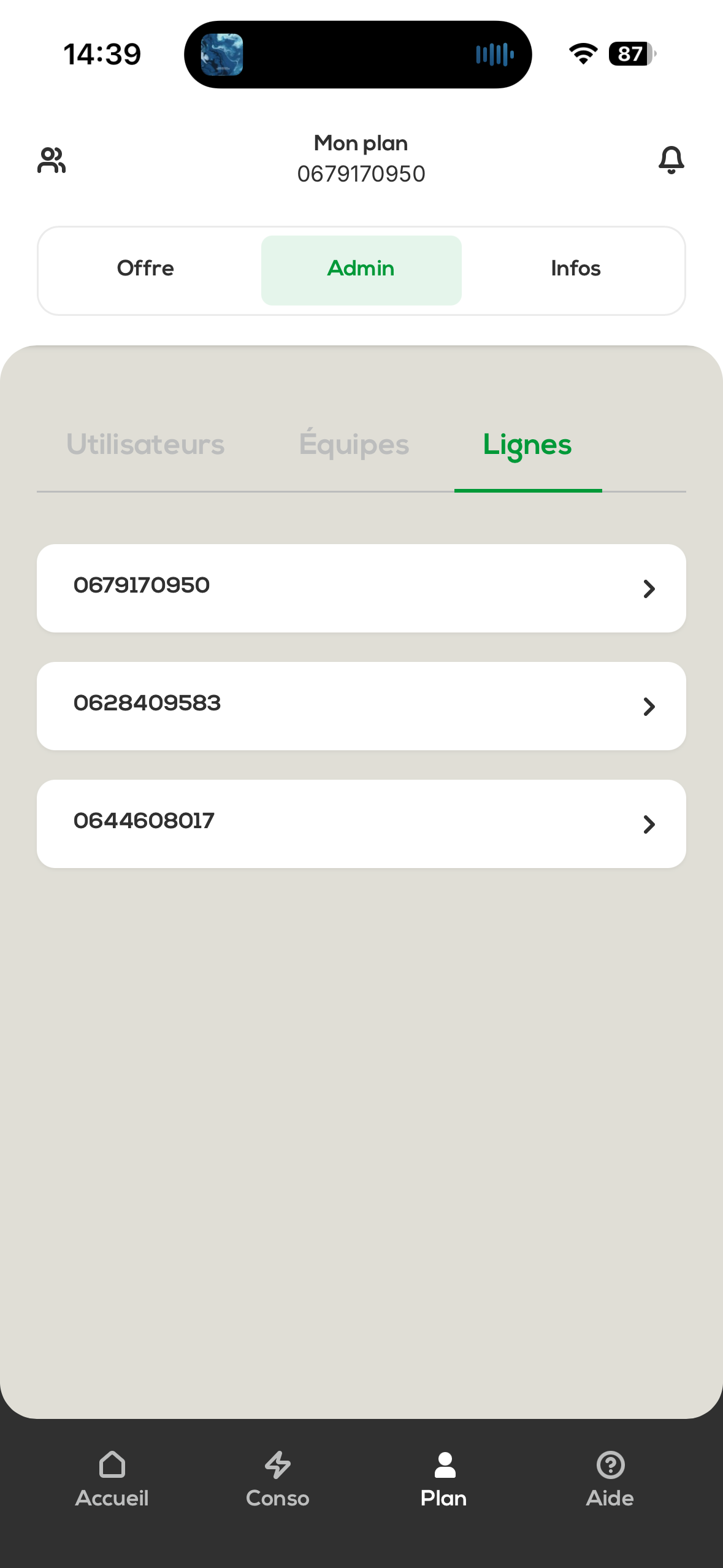
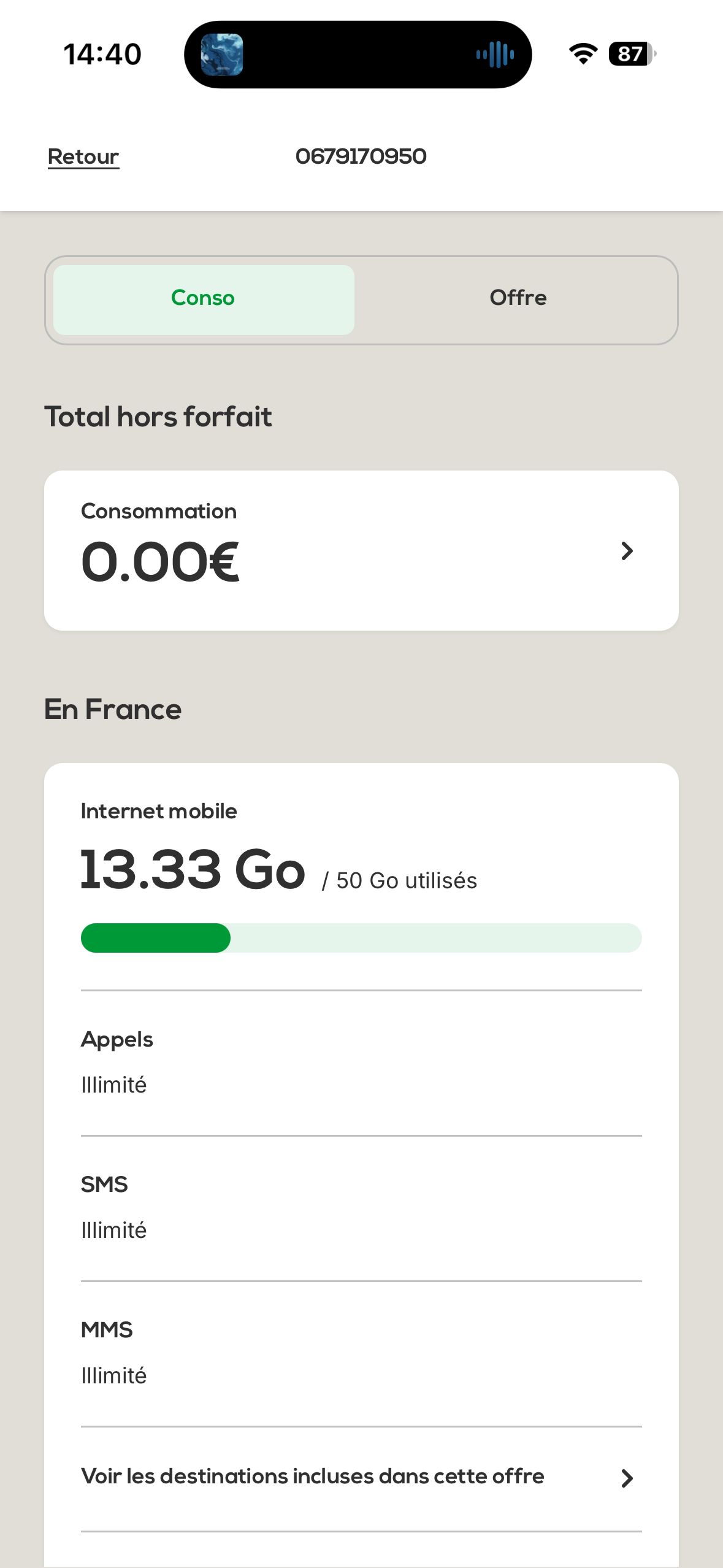
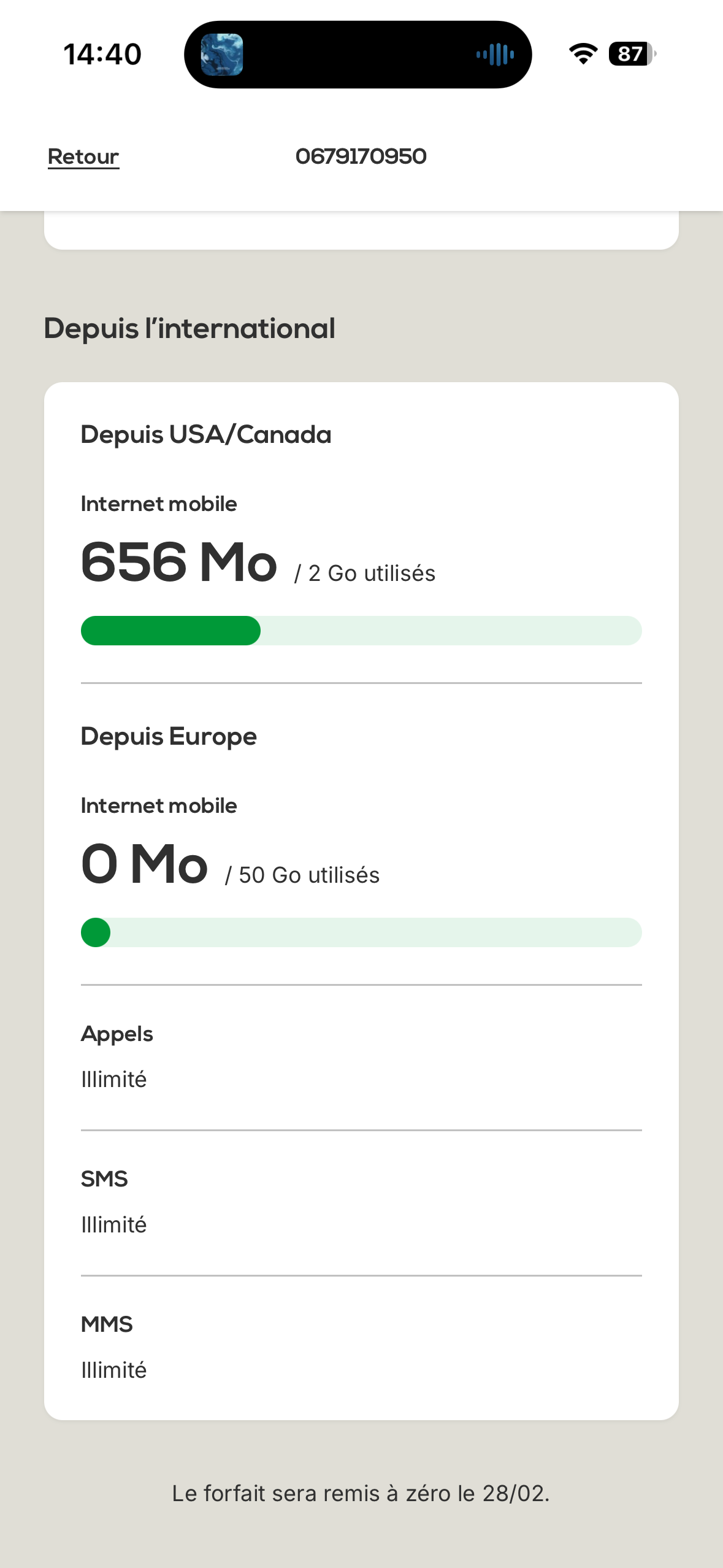
Click on a line to access its details. You can then see:
Real-time data usage : Track your mobile data usage
Out-of-plan total : Amount of usage that goes beyond the included plan
Usage from abroad : Details of usage while abroad
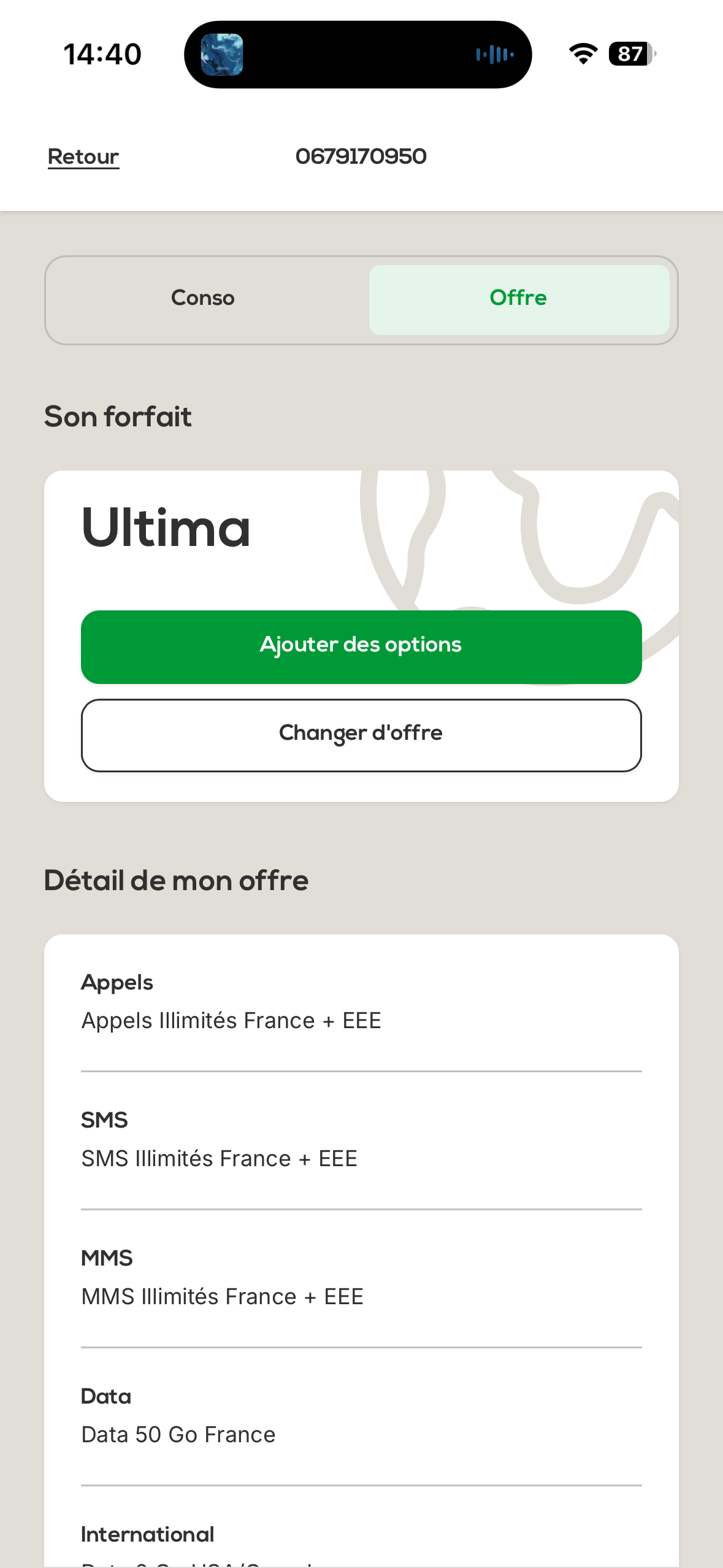
Click on the tab " Plan " to access:
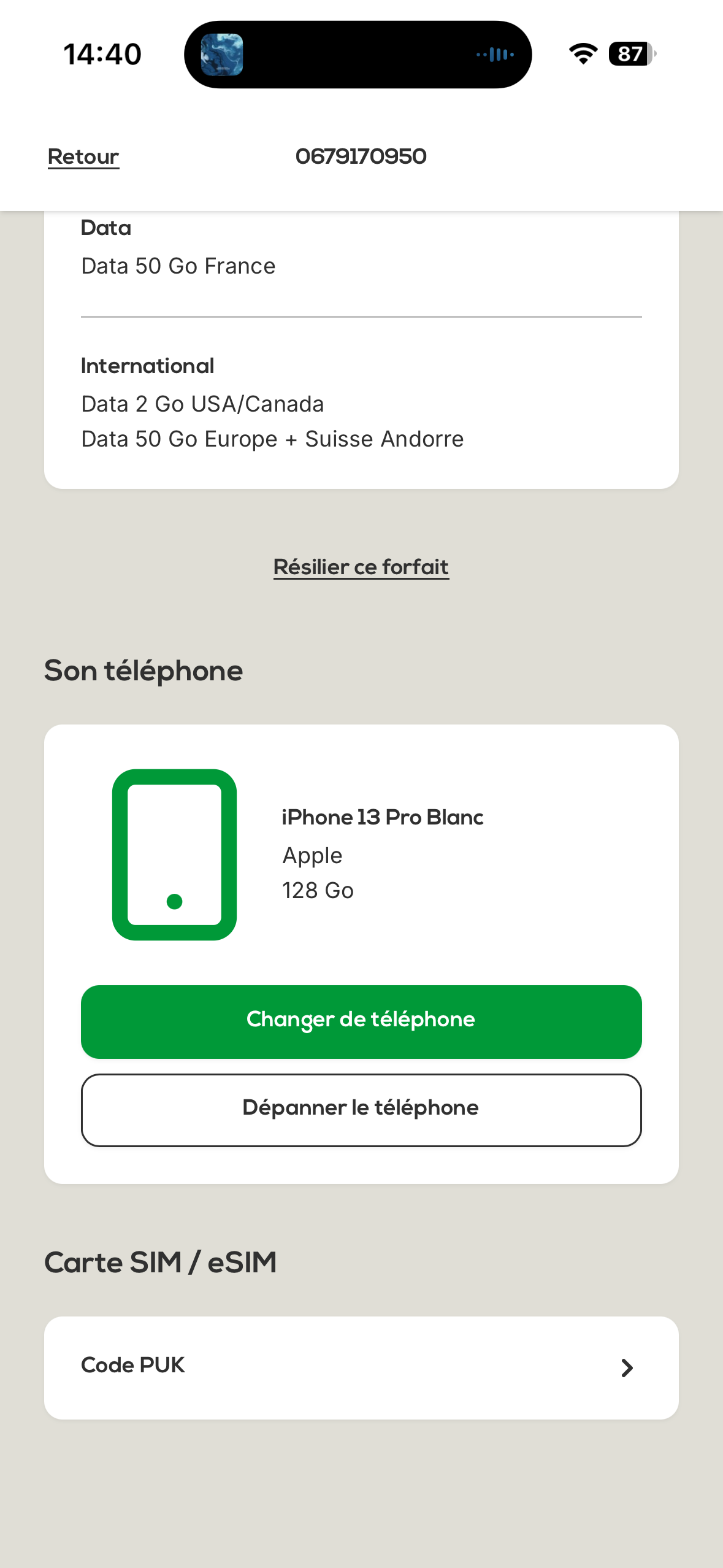
A full summary of the plan you subscribed to and linked to the line
The details of the plan (included data, calls, SMS, etc.)
If a phone was sold with the line, you can see its information in this section.
The PUK code (Personal Unblocking Key) is required to unlock a SIM card after several incorrect PIN code attempts.
To retrieve the PUK code:
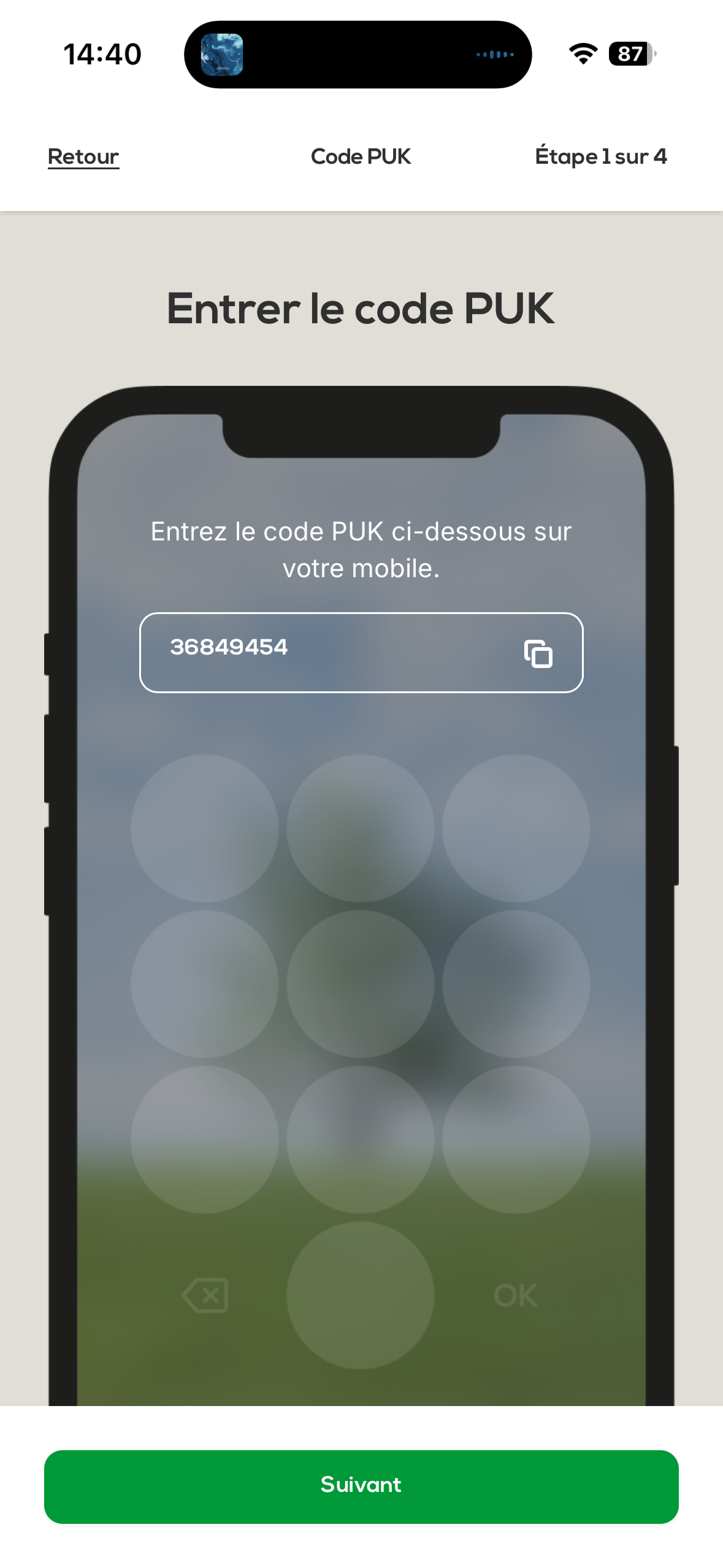
From the line detail screen, click on “ PUK code ” in the “ SIM card ”
The PUK code will then be shown to you
Important : Keep this code in a safe place. It will let you unlock the SIM card if it gets blocked
Overview : All of the organisation's lines accessible in one place
Real-time tracking : Data and out-of-bundle usage available anytime
International : Specific details of usage abroad
Plan details : Full summary of the subscribed offer
Security : Access to the PUK code to unlock the SIM card if needed
Linked phone : Info about the device sold with the line
If you’re having trouble accessing a line’s information or need help unlocking a SIM card, feel free to contact our customer support.
Manage your Un1ty lines with ease!