An active Un1ty account (Owner account).
A HubSpot account (preferably an admin).
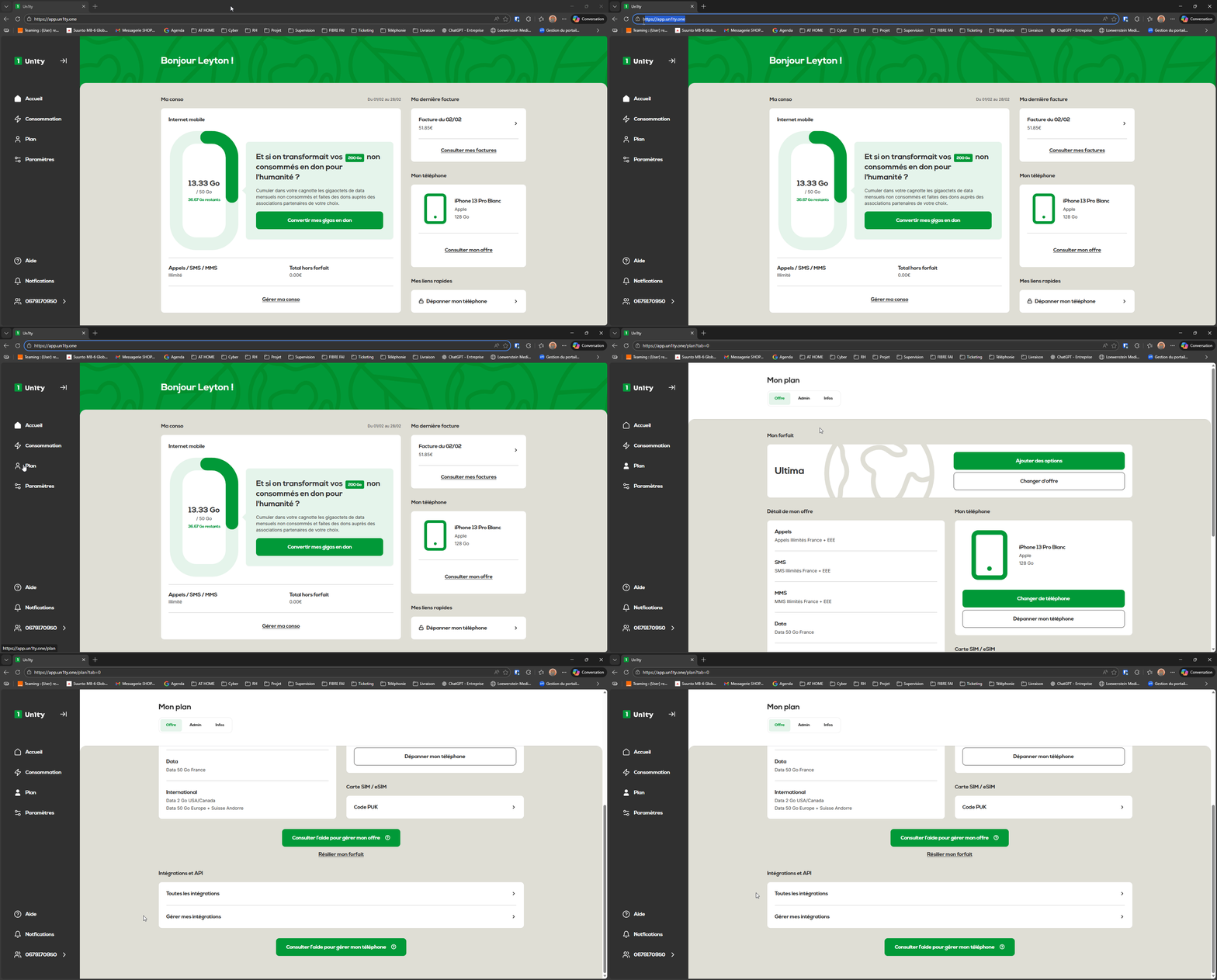
Log in to app.un1ty.one.
In the left sidebar menu, click on the Plan tab.
Scroll all the way down to the Integrations and API section.
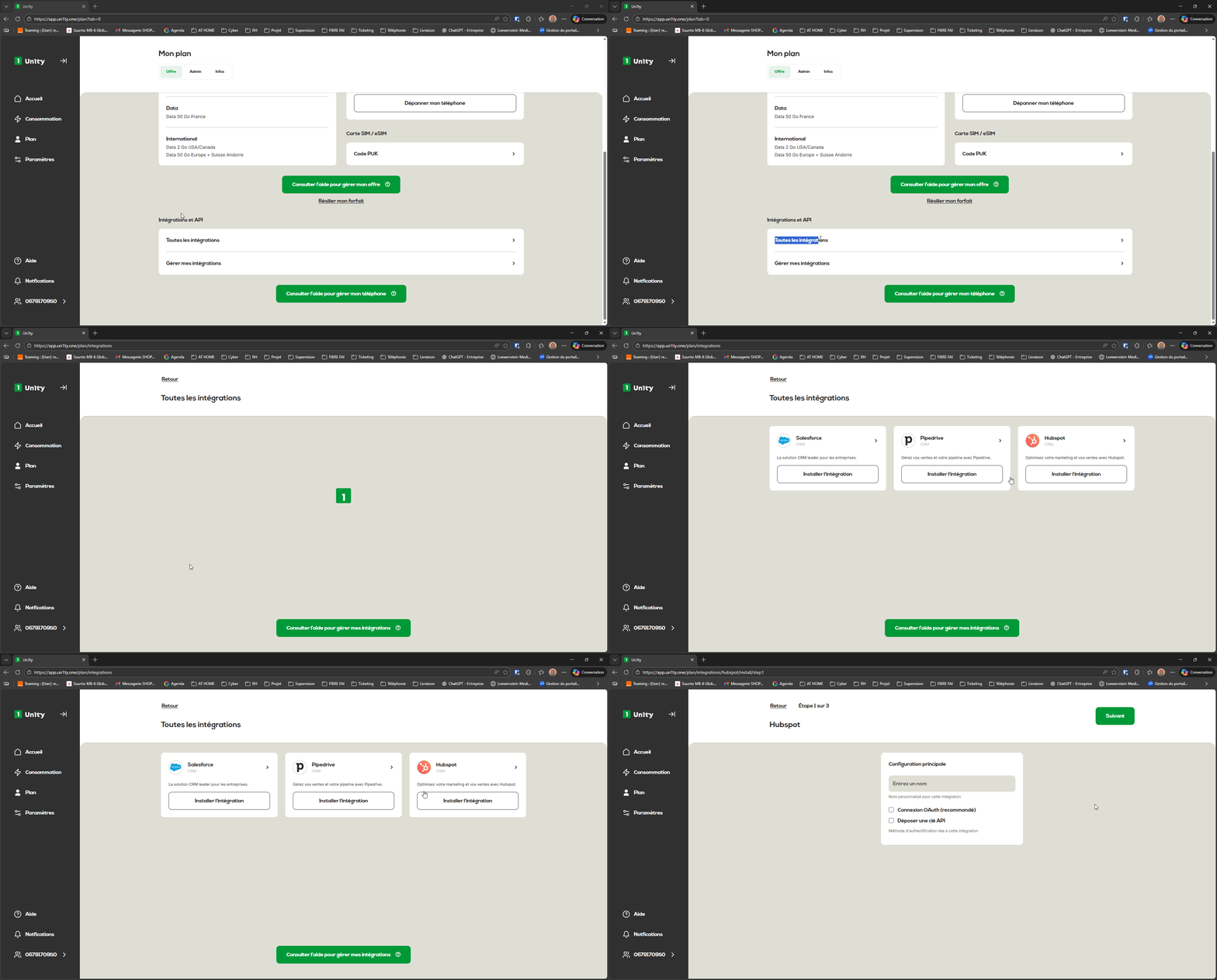
Click the All integrations button.
Among the list of available tools:
Locate the HubSpot card.
Click the Install integration button.
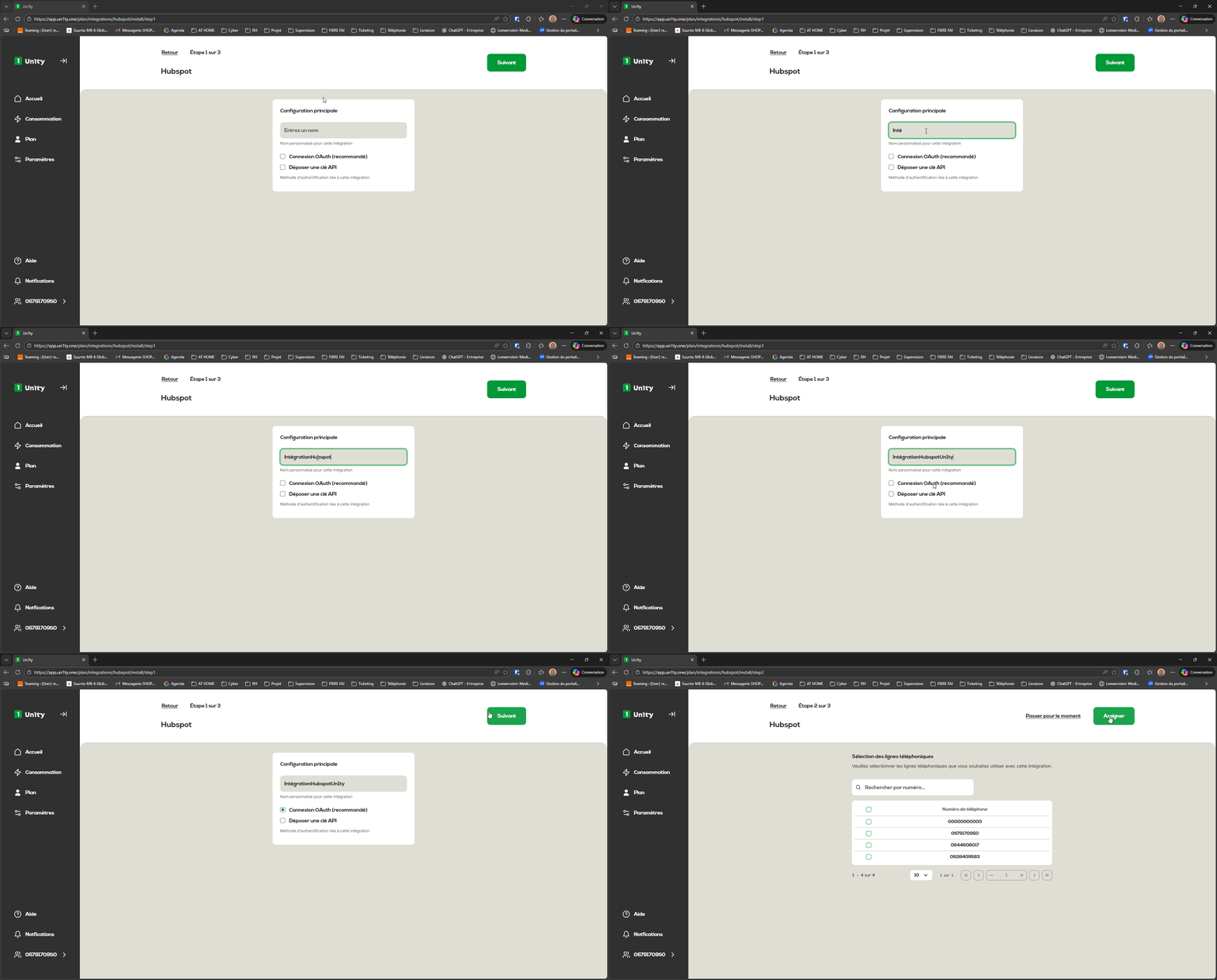
It’s time to name your “bridge” between the two apps.
Custom name: Enter a name (e.g. IntégrationHubspotUn1ty).
Authentication method: Select OAuth login (recommended).
Click Next.
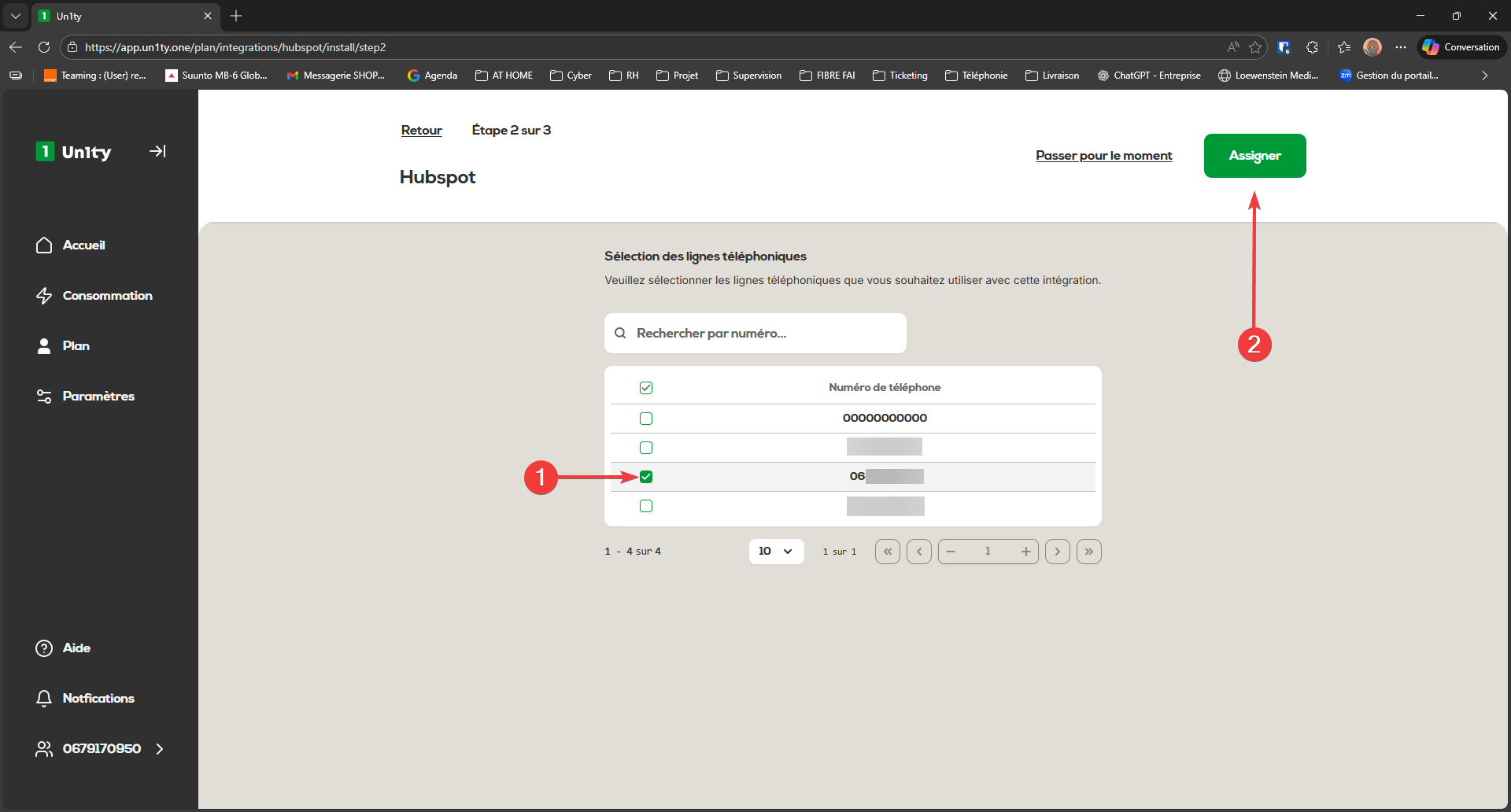
You now need to define which Un1ty lines will be linked to HubSpot.
Tick the relevant phone number(s).
Click the Assign button.
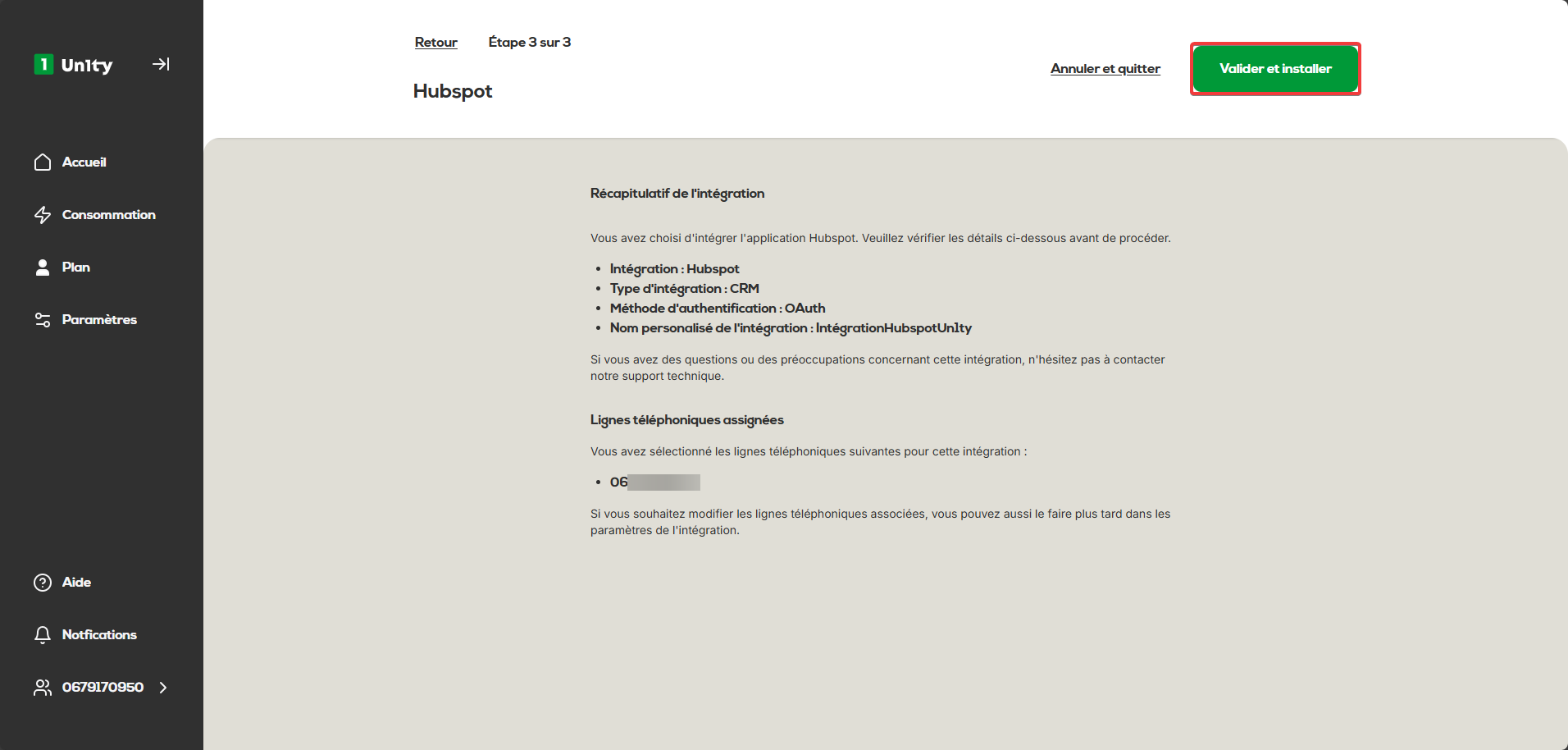
A summary appears. Take a moment to check there are no mistakes! If everything looks good:
Click Confirm and Install.
The system will now redirect you to HubSpot to authorize the connection.
If you’re not logged in, choose “Sign in to your HubSpot account”.
Enter your HubSpot login details.
Account selection: Choose the HubSpot portal to connect (e.g. "Leyton test"), then click Select account.
Once the authorization is confirmed, you’ll automatically be redirected to the “Manage my integrations” page on Un1ty.
If the status shows "Active" in green, congrats: your integration is up and running!